









A Detailed Guide to Web App Development

Most businesses day-to-day work now happens inside web applications rather than on traditional websites. A customer support portal, an inventory system, a booking engine, an online banking dashboard- these all fall under this category, and each one is built to do far more than display information. Instead of simply showing content to a visitor, a web application lets people log in, submit data, and get something back in return, whether that's an updated order status, a processed payment, or a personalized dashboard.
This web app development guide breaks down what a web application actually is, how it's different from a regular website, and what goes into building, launching, and maintaining one that holds up under real usage.
What is a Web Application?
A web application is software running inside a browser that lets users do something, not just read a page. Project management dashboards, online banking platforms, food delivery apps- these are all web applications rather than websites, because they process information instead of just putting it on display.
A static page can't take real user input, store it, and update in real time, but a web app does exactly that. Every action someone takes inside it- placing an order, updating a profile- kicks off a response somewhere in the system.
Two layers sit behind that experience. The front end is what users actually see and click on: buttons, forms, dashboards, menus. The back end is where the logic, databases, and server requests live, the part checking credentials, saves records, and pulls up information when it's needed.
For a business, this is what makes a web app worth more than a marketing tool. Once you understand how it works, you can run bookings, process payments, manage accounts, or handle support tickets without someone manually doing it on the other end.
Website vs Web Application: Key Differences
A website is mostly one-way. People visit, read a page, look at products, sometimes fill out a contact form, and the content stays the same for everyone who lands on it. A web application works both ways: users log in, enter data, and get something back based on what they submitted. The differences show up across a few areas:
| Aspect | Website | Web application |
|---|---|---|
| Interaction | Displays content to visitors | Processes and responds to user input |
| Technology | Mainly HTML, CSS, and a bit of JavaScript | Server-side logic, databases, and APIs in addition |
| User accounts | Typically none | Usually involves login and authentication |
| Build time | Shorter, fewer moving parts | Longer to design, develop, and test |
| Maintenance | Minimal once published | Ongoing hosting, monitoring, and updates |
The web app development guide provides clear insights on the difference between these two, allowing businesses to avoid common Web Development Myths and make the right choice about what to work on. If you're still evaluating which approach best suits your business, a comprehensive web design and development guide can help you understand the planning, design, and development considerations before starting your project. An experienced web development company in India can also assist you in this case.
Types of Web Applications
Not every web app is built the same way. The right task depends on the complexity of the job and how people will access it.
1. Static web apps
Stick to fixed content with barely any server interaction, so they're the simplest to put together.
2. Dynamic web apps
These build the content on the fly from the user input. Think of a dashboard that updates the numbers live as you look at them.
3. Single Page Applications (SPAs)
Load once, then update without a full page refresh. Gmail and Trello both work that way, so you probably used one without thinking about it.
4. Progressive Web Apps (PWAs)
Combine web and mobile app behavior, work offline, and send notifications like a native app.
5.vMulti-page applications
These are still common in larger enterprise systems, where a fresh page loads for every action a user takes.
Web App Development Process Step-by-Step
When you go through the web app development guide, considering the development steps is essential.
1. Requirement gathering
This stage involves figuring out what the app needs to do, who's actually using it, and what problem it's meant to solve. Most projects that blow past their budget skipped or rushed through this stage.
2. Planning and wireframing
This stage means mapping out user flows and screen layouts before anyone writes a line of code, back when changes still cost almost nothing to make.
3. UI/UX Design
Your wireframes become actual screens. The focus should be on usability, not just for viewing purposes.
4. Front-end and back-end development
Usually run in parallel, front-end covers what users see and click on, back-end handles databases, business logic, and server communication.
5. Testing
To check the functionality, performance, security, and cross-browser and device behavior of the app. The cost of fixing a bug here is much less than fixing it after the app is launched.
6. Deployment and maintenance
Pushing the app to a live server, then monitoring, updating, and scaling it as the number of users grows.
Popular Tech Stacks for Web App Development
The right stack matters the most because it decides how a business can scale the app and how easily it could be maintained. If you don't have an in-house team, partnering with an experienced website development company in India usually gets you the right tech approach from day one and saves you from expensive mistakes down the line.
MEAN / MERN
These include MongoDB, Express, Angular or React, and Node.js, and are widely used for scalable, JavaScript-based apps.
Python (Django or Flask)
The tech stack works well for data-heavy applications or any team that needs to move quickly.
Ruby on Rails
This is still preferred as a cost-effective choice for startups trying to launch fast without a big team behind them.
Java with Spring Boot
Shows up a lot in larger enterprise systems that can't afford to compromise on security or long-term stability.
.NET
The tech stack fits naturally for companies already running on Microsoft infrastructure.
Also Read: 5 Tips for Choosing the Right Web Development Company
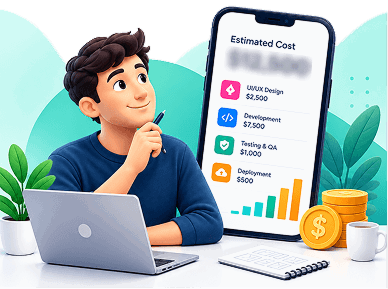
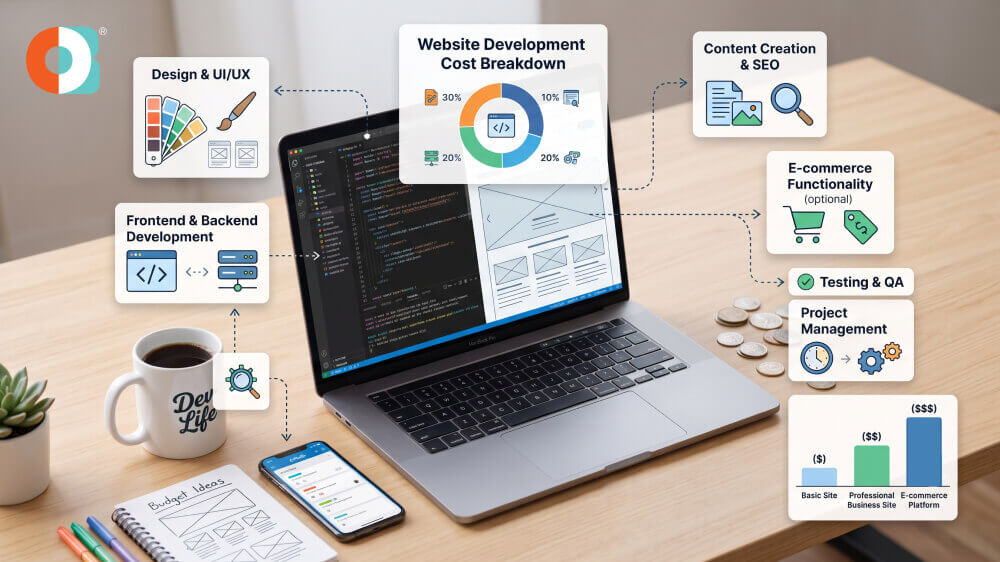
Cost Factors in Web App Development
Complexity drives cost more than anything else. A simple app with a handful of forms and a database costs a fraction of a platform with real-time features and multiple integrations. A few factors that move the number up or down:
App complexity
Real-time features, smart payment processing, and advanced functionality all add build time.
User roles and permissions
While working on user roles and permissions, businesses need further assistance for design, build, and test.
Custom vs. ready-made UI/UX
Custom design takes longer than working with pre-built components, and developers need to spend more time.
Third-party integrations
Payment gateways, mapping services, CRM connections- each one comes with its own build and testing work.
Platform coverage
An app that needs to work smoothly on both desktop and mobile browsers needs more testing than one built for a single environment.
Post-launch support
Most of what an app actually costs plays out over its lifetime, not just at the initial build.
Why Choose a Professional Agency for Web App Development
Trying to build a web application in-house without prior experience usually ends in rework, security gaps, and blown deadlines. An agency offering professional web design and development services already has its processes and frameworks tested, and has run into most of the problems a first-time in-house team is about to hit.
That advantage usually shows up in a few concrete ways:
- Proper database architecture is built to scale with the business, not just the launch version.
- Secure authentication and access control are set up correctly from day one.
- Real load testing before the app goes live, not after users start complaining.
- An accurate maintenance plan for on-time updates, monitoring, and troubleshooting after the app goes live.
- Get assistance from developers, designers, QA testers, and project managers without the need to hire separately for each role.
Conclusion
Building a web app is more time-consuming than building a website. The extra effort that goes into building the web app is what makes the app more powerful. Businesses should try to understand the process behind mobile app development. The mobile app development services Dubai usually include research, choosing the right tech stack, budgeting, and more. Businesses need to be aware of realistic goals from the beginning.
Once you understand the process, you should choose between website development and web app development. Investing in the right solution, whether through a Custom Python Development Company USA or another specialized development partner, can help achieve your business goals and deliver a better consumer experience.
.jpg)
.jpg)