









Google Introduces Stitch AI-powered Tool for App Design and Development
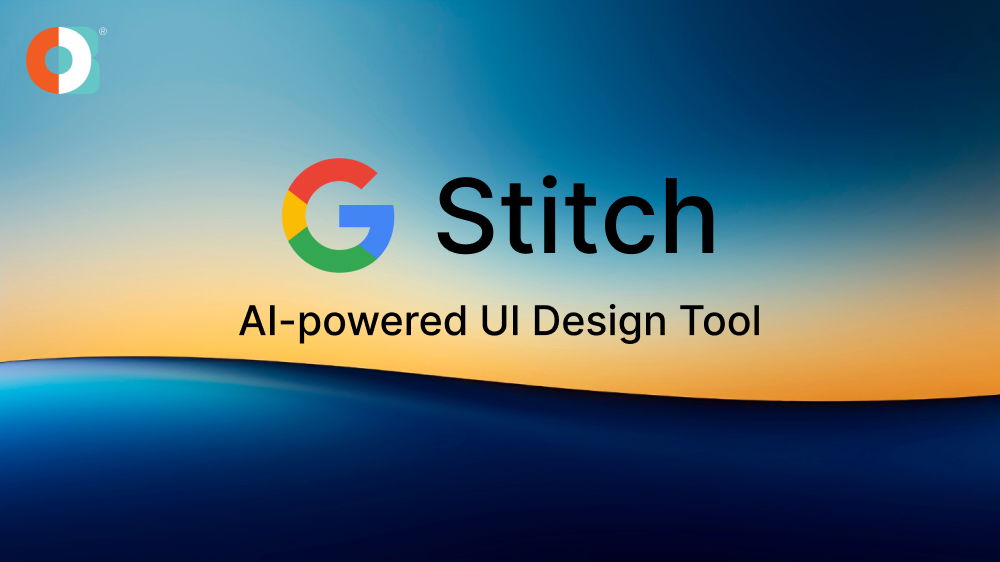
Are you looking for new inventions and developments in the AI market? Google Stitch is one of them. It is an AI-powered tool made to design web and frontend apps with the help of necessary UI elements and code. You can use prompts to create UI-based apps with the help of Stitch. The image through CSS and HTML markup can also generate the designs.
The users can fluctuate between Google's Gemini 2.5 Pro and Gemini 2.5 Flash AI models for integrating the code of Stitch and interface ideation. However, Stitch is still in the development phase, which is why some features are limited, apart from the vibe coding products. It does come with some customisation options. The users can now rely on Stitch for app design and development.
What is Google Stitch and What Does it Do?
Google Stitch, as an AI-powered tool, can contribute to easy and fast app design and development. The workflow of this app is straightforward. The interface is easy to use, and you can mention specifics about colours and layout preferences along with the working code.
With Google Stitch, you can create a wide range of apps with an easy-to-use interface and faster navigation design. The Figma integration to Stitch is what caters to the needs the most, with it being the most practical. With Stitch, the teams can collaborate and get the designs ready in no time. Once the code is prepared, it can be exported to the preferred editor.
The best part about Google Stitch is that it doesn't consider the user to be a design expert. If you're a designer ba, backend developer, or frontend developer, Stitch can help you with it all. You can provide the prompts, and the tool will adapt to your skill level.
When was Stitch Launched?
When launched Stitch, this AI-powered tool was launched by Google at Google I/O 2025.
How Stitch Works?
Stitch is one of the top tools for rapid iteration, helping users with refining app designs and quick prototyping. Therefore, the users can easily refine the app designs as per their preferences. If you're using Google Stitch, you can perform a wide range of tasks, such as the following:
- Use simple prompts to generate HTML and CSS markup for creating app design.
- Export the designs directly to Figma or refine the code in the Integrated Development Environment (IDE).
- Use customising for fine-tuning UI elements to improve fonts, layouts and themes.
- Based on your interface ideation, select between Gemini 2.5 Pro and Gemini 2.5 Flash AI models.
Key Features of Stitch
The key features of Stitch make it extremely popular among the audience, allowing users to use the app easily. Some of the key features of Google Stitch to look forward to while designing and developing the apps are as follows:
Text-to-UI Generations
As a user, you can prompt Stitch to create a UI in your natural language as per your preference. Stitch will then go on to design the UI with proper visual design. It will comprise layouts, visuals and structure.
Image-to-UI Conversion
With the help of Stitch, users can now easily convert images to a fully functional UI. The users can now convert wireframes, sketches and screenshots to editable UIs driving engagement.
Code Generation
Code generation has to be one of the most efficient features of Google Stitch. For a simple design and development phase, Stitch can play an essential role in code generation, like Tailwind CSS and HTML.
Figma Integration
Users can export the designs to Figma for further and better integration. After exporting the designs, the users can easily explore various variations and designs as per their needs.
While these are the core features, a lot of other components are still in the development phase. For example, conversational editing is expected to be released sometime soon. With the help of this feature, users will be able to bring refinements into the designs by integrating them into a natural language.
Who Should Use Google Stitch?
With Google announcing Stitch, one of the most commonly asked questions to be asked was definitely, who is it for? Well, Stitch is for all. If you're good with prompting and are interested in design and development, Google Stitch is just the right platform for you.
Below are some of the top individuals who can use Stitch for designing and development purposes:
- Beginners: If you have a concept but don't know where to get started, Stitch can be a good point. This platform allows you to create professional-grade app designs without using any tools or codes. This plays an essential role in developing the apps efficiently without much effort.
- Developers: Developers can prototype and iterate their UI ideas on this platform efficiently. Once they have gotten the output, they can export the code further to implement it.
- Designers: The designers can use Stitch to develop different versions of a design and then make necessary changes to them in Figma or any other design tools.
Through the customisation feature of Google Stitch, fine-tuning the designs becomes a lot easier. Therefore, the users can edit screenshots and animations and even opt for markup portions while including some comments for changes.
Stitch Use Cases
The AI-powered platform, Google Stitch, can be used for a wide range of things. This is aimed at making the work of designers and developers easier. Some of the key use cases of Stitch which can be very beneficial include the following:
- Quick prototyping: If you want to turn an idea into something tangible and unique, you have to try Stitch AI. This AI-powered tool allows you to go from the rough concept to designing working wireframes in no time. Therefore, if you have an idea but are looking for the right platform to execute it, you can try Stitch.
- Team Alignment: One of the most efficient benefits or use cases of Stitch AI is that it helps in team alignment. Product managers, designers and developers can work together using Google Stitch, ensuring that they're all on the same page. This can be for sprinting or even mapping out a new feature. Therefore, all the team members can see everything and ensure that things get done faster.
- Wireframing: Google Stitch plays a crucial role in wireframing, too. If you have a basic layout but want a more refined version of the design, you should check out Stitch AI. The wireframe generated through this AI-powered tool is clean, clear and shareable. As a result, you can have some ideas ready to be shared for better information.
Benefits of Using Stitch AI
Google Stitch, as a tool, can be highly beneficial to the teams for designing and development. With a more streamlined process, accessibility increases, which can prove to ensure better workflow development and collaboration.
Some of the key benefits of using Google Stitch AI are as follows:
Better Design Iteration
One of the legitimate benefits of Google Stitch AI is that it helps with faster prototyping through natural languages and image prompts. This speeds up the initial design process. Moreover, there are multiple design variations through the prompts and images, allowing the designers to explore all the possible options.
The accelerated prototyping also paves the way for getting faster feedback. Therefore, the changes can be brought about sooner in designs. This plays a key role in enhancing the app development cycle, ensuring everything is streamlined and done sooner.
Improved Visibility
Google Stitch allows the designers and developers to collaborate efficiently and work on the design. As users get better ideas through design, this reduces the requirement for extensive coding or designing.
Individuals can come to get better visibility. Even the ones with limited design knowledge can use this platform to enhance their workforce. This can help create the app designs faster, ensuring better results and boosting the efficiency throughout the platform.
Enhanced Collaboration Among Teams
With the coming of Google Stitch AI, the teams will be able to collaborate better and get the job done sooner. The tool allows you to get a visual representation of the app design. Therefore, the teams can collaborate and communicate better. The designers, product managers and developers can look into the information for better collaboration and better results.
Enhanced collaboration among teammates can also foster a streamlined and improved workflow. With the help of this, there will be less need for back-and-forth as the work gets done efficiently. The design and development team does not constantly need to get in touch to get things done. With the streamlined workflow through Stitch AI, teams can get faster results with fewer to no mistakes.
Less Development Time and Costs
Stitch AI automates the entire UI design and code generation process. This makes it easier for the development team in regards to lessen the time and resources. With Stitch AI doing most of the critical work, there will be fewer requirements for additional resources, thereby helping businesses.
The reduction in team members can also be helpful for businesses in terms of saving money. Moreover, Google Stitch AI also comes with better efficiency that can ensure the time-to-market apps become sooner. The lower development costs can ensure that the businesses use the money for marketing the app.
Conclusion
Google Stitch can efficiently develop the UI for mobile and web apps. Currently, the app is free to use and can help to create multi-screen flows. With Stitch, Google is trying to revolutionise the app development and design market. This can be a key step for businesses to drive growth. If you, too, want to leverage the best of AI for your business, get in touch with Owebest. We will help you develop the best mobile and web apps that cater to your business needs. We leverage AI and human expertise to deliver the best results to you.
.jpg)